




Security Settings
Your security is a top priority at ScorPort. This guide explains how you can manage your security settings, update your profile information, and ensure your account remains protected. While some information is fixed for security purposes, you have full control over most aspects of your account.
Updating Profile Information
-
Editable Information:
- You can update the following details:
- First Name
- Last Name
- Phone Number
- Country and City
- Company Name (if applicable)
- You can update the following details:
-
Restricted Information:
- Your registered email address cannot be changed. This ensures the integrity and security of your account.
-
Steps to Edit Profile Information:
- Go to your Profile Settings in the dashboard.
- Update the desired fields and save your changes.
- Some changes may require OTP confirmation for added security.
Changing Your Password
-
How to Change Your Password:
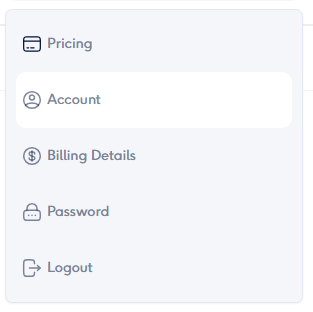
- Navigate to Security Settings in your profile.
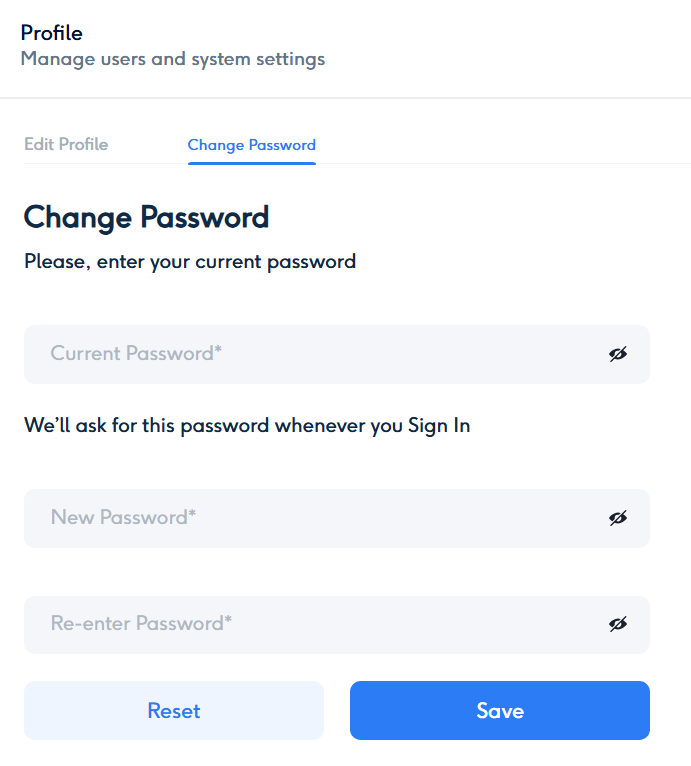
- Click the Change Password option.
- Enter your current password, then type your new password and confirm it.
-
Password Requirements:
- Passwords must meet the following criteria:
- At least 8 characters long.
- Include at least one uppercase letter.
- Include at least one lowercase letter.
- Include at least one number.
- Include at least one special character (e.g., @, #, $, etc.).
- The system will display these requirements during password creation or updates.
- Passwords must meet the following criteria:
-
Password Tips:
- Use a unique password that you do not use on other platforms.
- Avoid easily guessable information, such as your name or birthdate.
Password Management Recommendations
-
Regular Updates:
- It is strongly advised to change your password at least once every 60 days to maintain optimal security.
-
Notifications for Expiry:
- The system may notify you to update your password when the 60-day period approaches.
-
Reset Forgotten Password:
- If you forget your password, use the Forgot Password option on the login page. A reset link will be sent to your registered email for secure recovery.
Additional Security Features
-
Two-Factor Authentication (2FA):
- Enabled by default for all accounts via OTP sent to your registered email.
-
Email Alerts for Changes:
- You will receive email notifications for any changes to your profile or password to ensure transparency and security.
By regularly updating your password and keeping your profile information accurate, you can ensure the safety and integrity of your ScorPort account. Let us know if you’d like assistance with any of these steps!



