




Creating an Account
Welcome to ScorPort! Creating an account is your first step to accessing our powerful decision engine platform. Follow the steps below to complete the registration process and secure your account.
Registration Options
-
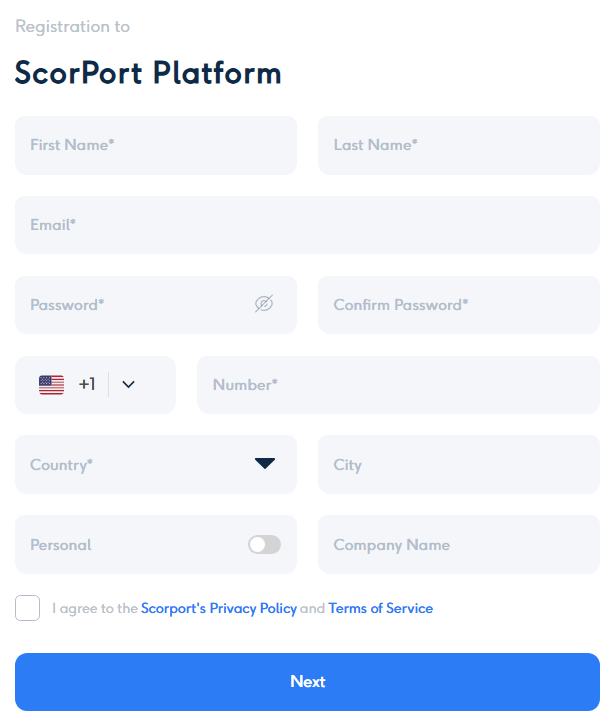
Manual Registration:
- Fill out the fields shown in the registration form, including:
- First Name and Last Name (required).
- Email Address (required, used for account verification).
- Password and Confirm Password (required, must meet platform security requirements).
- Phone Number (optional but recommended for additional security).
- Country and City for geographic identification.
- Personal/Company Toggle: Select whether the account is for personal or company use and provide a company name if applicable.
- Fill out the fields shown in the registration form, including:
-
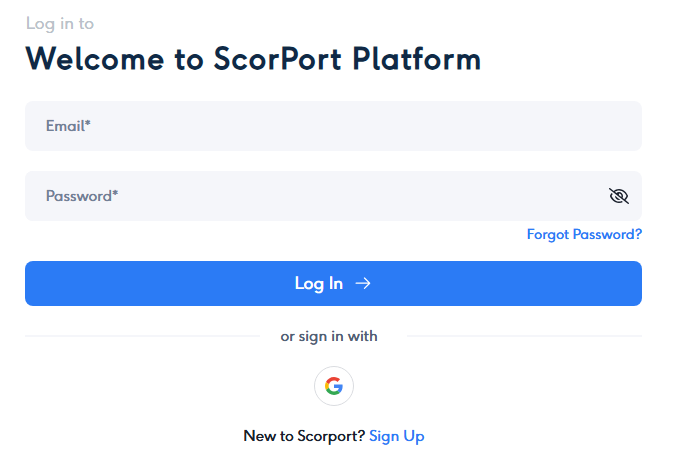
Google Account Registration:
- You can also sign up using your Google Account for faster registration.
- This option will auto-fill some of your details from Google.
Email Validation
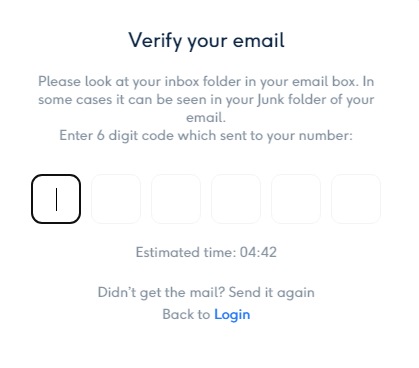
- Once you register, the system sends a One-Time Password (OTP) to your provided email address for verification.
- Enter the OTP to validate your account. This is a mandatory step to activate your account and log in for the first time.
2-Factor Authentication (2FA)
- 2FA is automatically enabled via email after account creation.
- Each time you log in, the system will require you to enter an OTP sent to your registered email address for an added layer of security.
Phone Number (Optional)
- While a phone number is not mandatory during registration, we highly recommend adding one:
- Backup Email Verification: If you lose access to your email, the phone number can act as a secondary recovery option.
- You can add or update your phone number later in the account settings.
Steps to Register
- Fill in all required fields and any optional fields you prefer on the form.
- Agree to the Privacy Policy and Terms of Service by checking the checkbox.
- Click Next to submit your registration form.
- Check your email inbox for the OTP and enter it to verify your account.
- Once validated, your account is activated, and you can log in using your email and password.



