




Overview of Scorecard Module
The Scorecard Module in Scorport is an advanced tool that enables you to bring your econometric models, AI/ML outputs, or expert-driven criteria to life within the platform. This module is designed to transform your predictive models into decision-ready frameworks, culminating in an executable API that calculates model scores dynamically based on your inputs. Here's an overview of how the Scorecard Module empowers you to create, configure, and optimize scorecards for data-driven decisions.
Bringing AI/ML Models to Life
- You can seamlessly import your econometric or AI/ML model results into Scorport.
- The system allows you to transform these models into actionable scorecards, ensuring their integration into the platform's decision-making workflows.
- The end product is an executable API, which calculates scores dynamically and can be integrated into external systems for real-time decisions.
Structure of a Scorecard
-
Category Creation:
- In Scorport, scorecards revolve around a single Category.
- All your Criteria (Variables) will be organized under this Category, creating a unified structure for model scoring.
-
Criteria (Variables):
- These represent the individual variables or features of your model.
- Each Criterion is configured with specific Attributes (Bins) and their associated Points for scoring.
-
Attributes (Bins):
- Attributes define the ranges or values of each Criterion.
- For example, an income range or credit history can be set as bins with specific scores assigned to each.
Steps to Create a Scorecard
-
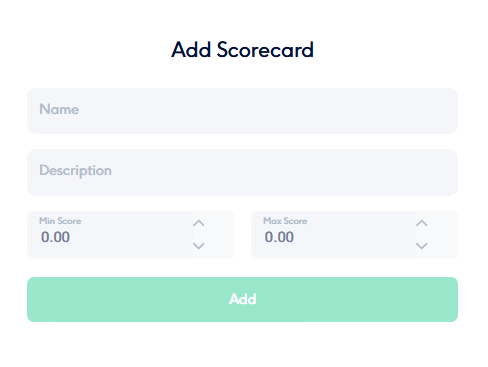
Create a New Scorecard:
- Define the Category that will house your Criteria.
- Provide a descriptive name and a clear Description for the scorecard.
- The system automatically assigns the Default Version 1 to your new scorecard.
-
Add Criteria (Variables):
- List out the variables you need to evaluate, such as income, age, or risk factors.
- Specify the attributes (bins) for each variable and assign appropriate points.
-
Finalize and Save:
- Review your scorecard, ensure all criteria and attributes are configured correctly, and save your work.
Data Analytics and Expert Services
-
Full-Featured Data Services:
- Scorport is designed to support robust data analytics. It offers tools to manage, analyze, and transform data for scorecard creation.
- If you have accessible data, Scorport provides all the necessary resources to integrate and refine it within the platform.
-
Expert Scorecard Services:
- In cases where you lack data or have limited access, Scorport offers next-generation Expert Scorecard Services.
- These services allow you to create and fine-tune scorecards based on domain expertise, enabling decision-making even without comprehensive datasets.
Why Use the Scorecard Module?
- Integration and Efficiency: Easily integrate your models into Scorport and convert them into APIs for automated scoring.
- Flexibility: Build scorecards from scratch or enhance them with expert-driven analytics.
- Next-Gen Capabilities: Leverage Scorport's advanced tools for creating, optimizing, and deploying scorecards to drive decision-making.
The Scorecard Module in Scorport bridges the gap between data-driven insights and actionable decisions, offering unmatched flexibility and capability for your decision engine needs.



