




My Account
The Account page is your central hub for managing your personal profile and accessing services related to your Scorport account. From updating your personal information to changing your password, this page ensures you have full control over your account settings.
Features of the Account Page
1. Update Profile Information
- Easily change and update your profile details, including:
- First Name
- Last Name
- Phone Number (optional)
- Country and City
- Company Name (if applicable)
- Changes are saved instantly, ensuring your account information stays accurate and up to date.
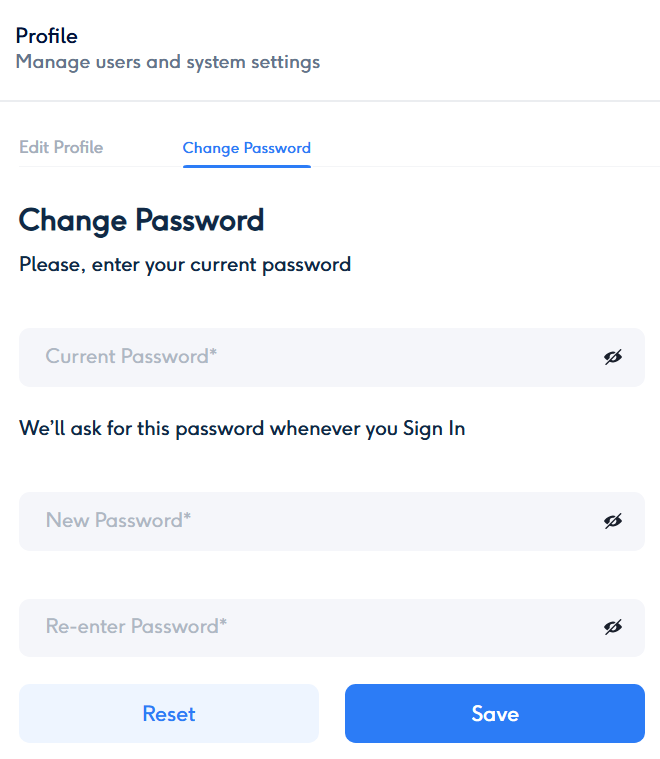
2. Change Password
- For enhanced security, you can update your password at any time.
- The system will display password requirements (e.g., length, complexity) to ensure your password meets security standards.
- It is recommended to change your password at least once every 60 days.
3. Access Additional Profile Services
- View services related to your profile, such as:
- Assigned plans and packages.
- Two-Factor Authentication (2FA) settings.
- Linked Google Account details (if applicable).
How to Access the Account Page
- Click on your Profile icon in the top-right corner of the platform interface.
- From the dropdown menu, select Account.
- You’ll be redirected to a dedicated page where you can view and edit your profile details.
Security and Notifications
- Any changes to your account or password will trigger a notification sent to your registered email address.
- Ensure that your email and contact information remain accurate to receive important updates and alerts.
By keeping your account settings updated and secure, you can ensure a smooth and safe experience while using the Scorport platform. Let us know if you encounter any issues with managing your account!



